


Table of Contents
- Quick Comparison: 5 Affordable Smart Home Gadgets Under $50
- 1. Type-C Micro USB Smart IR Remote Control Phone APP Mini Adapter
- 2. Motion Sensor Cabinet Light with Battery Display
- 3. Pixel Style RGB Lantern Light
- 4. Mobile Phone Infrared Remote Control
- 5. Household Anion Air Purifier
- Smart Home Automation for Beginners: Where to Start
- Smart Home Device Compatibility: What to Check Before You Buy
- Frequently Asked Questions
Last Updated: September 17, 2026
Quick Comparison: 5 Affordable Smart Home Gadgets Under $50
This guide from MixVanta breaks down five affordable smart home gadgets that deliver real utility for under $50 in 2026, from universal remotes to air purifiers.
The smart home market has matured: entry-level devices now automate lighting, consolidate remotes, and improve air quality without an electrician or hundreds per room.
Most people don't need a fully automated house, just three or four devices that solve specific annoyances. The five gadgets below do exactly that.
| Gadget | Price | Category | Best For |
|---|---|---|---|
| Type-C Micro USB Smart IR Remote Adapter | $10.71 | Universal control | Replacing cluttered remotes |
| Motion Sensor Cabinet Light | $36.99 | Smart lighting | Closets, cabinets, stairways |
| Pixel Style RGB Lantern Light | $17.58 | Ambient lighting | Bedrooms, parties, gifts |
| Mobile Phone Infrared Remote Control | $17.99 | Universal control | Travel and multi-room setups |
| Household Anion Air Purifier | $20.99 | Air quality | Bedrooms, offices, pet areas |
1. Type-C Micro USB Smart IR Remote Control Phone APP Mini Adapter
This mini adapter turns your smartphone into a universal remote for TVs, set-top boxes, air conditioners, and other infrared-enabled devices.

Setup takes about two minutes: plug the adapter into your phone's Type-C or Micro USB port, download the companion app, and pair it with your appliances.
Why It Stands Out
What separates this from a standard universal remote is portability: the adapter lives in your pocket, so you can control a hotel air conditioner or a friend's TV without hunting for their remote.
The app also gives you a searchable device database instead of memorized button combinations, solving couch-cushion remote clutter for $10.71.
Who It's For
Renters who can't install permanent hardware, travelers tired of unfamiliar remote layouts, and anyone testing smart control without committing to a full ecosystem.
2. Motion Sensor Cabinet Light with Battery Display
Dark closets and under-cabinet spaces are the most common lighting complaints in homes. This motion sensor light addresses both without wiring, switches, or an electrician.

The SmartGlow light activates when you approach and shuts off when you leave, with a built-in battery display so you're never caught in the dark mid-reach. Lengths from 1m to 5m fit anything from a medicine cabinet to a full pantry.
Key Specs and Performance
- Motion activation: Hands-free operation with automatic shutoff
- Battery display: Visible charge indicator for timely recharging
- Length options: 1m to 5m to match your space
- Installation: No wiring required; mounts with adhesive or screws
- Finish: White, blends with standard cabinet interiors
The energy-efficient LED design adds no meaningful load to your electric bill. For kitchens, closets, and stairways, it's the highest-impact upgrade under $40.
3. Pixel Style RGB Lantern Light
Not every smart home gadget needs to be functional, this RGB lantern exists to make a room feel better for $17.58.
The lantern produces adjustable LED lighting from 249 to 2000 lumens via remote, runs on a rechargeable battery, and its pixel-style design reads as modern decor rather than a tech accessory.
Best Use Cases
- Bedroom ambiance: Warm tones for winding down, brighter settings for reading
- Party lighting: Color-shifting modes for gatherings
- Tabletop decor: The black frame and pixel design work on desks and shelves
- Gifting: A safe choice for housewarmings, birthdays, and holidays
Remote operation means no getting up to change settings, and it's RoHS and CE certified with no high-concern chemicals.
4. Mobile Phone Infrared Remote Control
The more capable sibling of the adapter in position one, the Mobile Phone Infrared Remote Control ($17.99) adds a smart learning function that stores commands from remotes you already own.
ype-C Micro USB Smart IR Remote Control →

That matters because older air conditioners and off-brand audio systems often aren't in standard device databases: point your existing remote at the adapter, press the button, and it learns the signal.
It controls TVs, air conditioners, audio systems, set-top boxes, fans, and projectors, draws power from your smartphone so there are no batteries to replace, and is compact enough for hotel stays or conference rooms.
For households with multiple IR devices across rooms, the $7.28 premium over the mini adapter buys the learning function and broader device coverage.
5. Household Anion Air Purifier
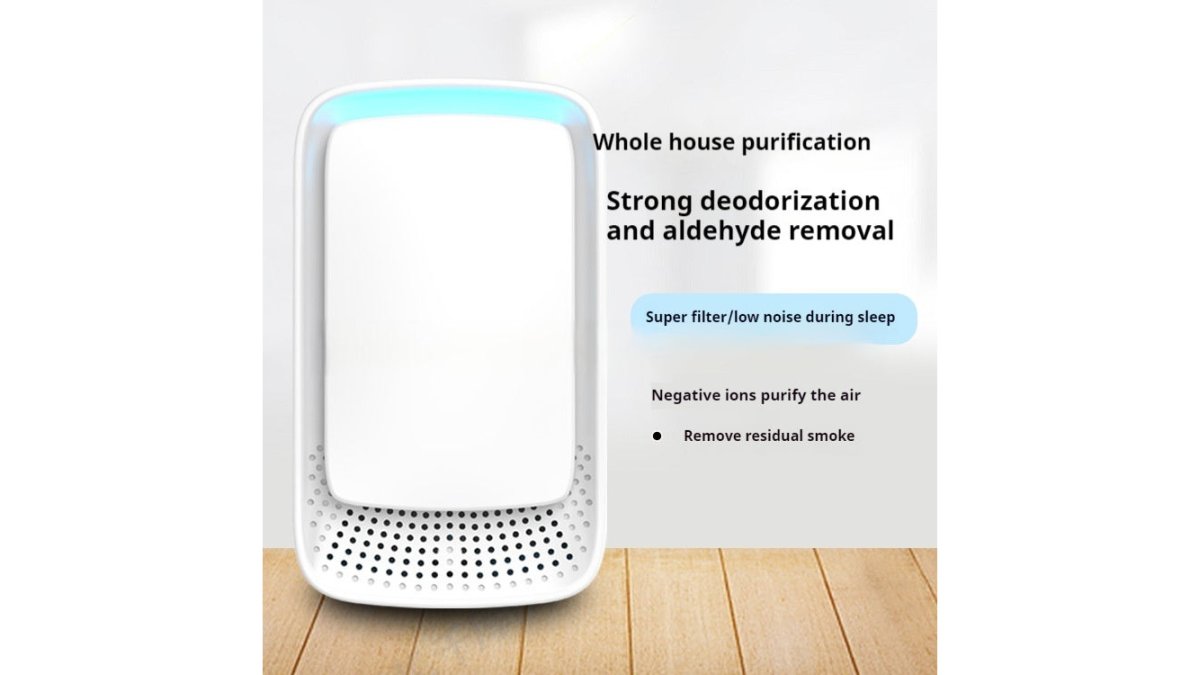
Indoor air quality rarely makes anyone's smart home wish list, which is why it's worth including. This compact anion purifier uses negative ion technology to reduce airborne particles, dust, smoke, and pet odors.
Smart Home Automation for Beginners: Where to Start
Start with the problem that annoys you most, not the gadget that looks coolest. Smart home automation for beginners works best when it's reactive: identify a daily friction point, then find the cheapest device that removes it.
A practical first-month sequence:
- Week 1: Identify your top annoyance (dark closet, remote clutter, stale air).
- Week 2: Buy one device that addresses it directly.
- Week 3: Live with it and note what still bothers you.
- Week 4: Add a second device only if the first one earned its place.
The Energy-Savings Math Nobody Shows You
Smart plugs and bulbs are sold on convenience, but the real justification is energy: a smart plug lets you schedule or remotely cut power to devices that draw standby current, game consoles, older TVs, desktop speakers, chargers. That draw is small per device, typically a few watts, but it runs 24/7.
The Subscription Trap
Many cheap smart devices are cheap because the manufacturer makes money on a subscription: cameras that only store clips in the cloud, doorbells that lock person detection behind a monthly fee, sensors that stop reporting history without a plan. Before buying, ask: does the feature I want work without paying monthly? If not, the real cost is the subscription. The five gadgets in this guide perform their core functions with no recurring fee.
Privacy Hygiene From Day One
Budget devices are the most likely to ship with weak defaults. Three habits cover most of the risk:
- Change default passwords immediately and use a unique one per device.
- Isolate smart devices on a guest network when your router allows it.
- Turn off cloud features and microphones you don't use.
The most effective budget smart home setup combines one control device, one lighting upgrade, and one environmental improvement, then adds a smart plug once you've confirmed the first three earned their place. These categories cover the majority of daily household friction without a subscription or a hub.
Smart Home Device Compatibility: What to Check Before You Buy
Compatibility problems cause more returns than defective hardware. Run any budget device through five checks: connection type, app requirement, hub dependency, ecosystem support, and subscription exposure.
- Change the default admin password on any device that has a web or app login.
- Put smart devices on a separate Wi-Fi network or guest SSID when your router supports it.
- Disable features you don't use, especially always-on microphones or cloud uploads.
- Check for firmware updates at setup and again every few months.
- Prefer devices from brands with a visible support page and a track record of patching.
Frequently Asked Questions
What are some cool gadgets under $50?
You can find several practical smart home gadgets under $50, including a Type-C Micro USB Smart IR Remote Control Phone APP Mini Adapter for $10.71, a Pixel Style RGB Lantern Light for $17.58, a Mobile Phone Infrared Remote Control for $17.99, a Household Anion Air Purifier for $20.99, and a Motion Sensor Cabinet Light with Battery Display for $36.99. These affordable smart home gadgets cover remote control, lighting, and air quality needs without exceeding a tight budget.
What are some cheap smart home gadgets I can buy?
Affordable smart home gadgets under $50 include the Type-C Micro USB Smart IR Remote Control Phone APP Mini Adapter ($10.71), the Mobile Phone Infrared Remote Control ($17.99), the Pixel Style RGB Lantern Light ($17.58), the Household Anion Air Purifier ($20.99), and the Motion Sensor Cabinet Light with Battery Display ($36.99). Each device adds convenience or ambiance to your home without requiring a large upfront investment or ongoing subscription fees.
What are the most reliable smart home gadgets under $50?
Reliability often comes down to build quality and how well a device fits your existing setup. The Type-C Micro USB Smart IR Remote Control Phone APP Mini Adapter and the Mobile Phone Infrared Remote Control both offer broad compatibility with infrared-enabled devices like TVs, air conditioners, and audio systems. The Motion Sensor Cabinet Light with Battery Display includes a built-in battery indicator so you know when it needs recharging, which helps avoid surprise failures.
Can you build a functional smart home with a limited budget?
Yes. Starting with affordable smart home gadgets like a smartphone IR adapter, a motion sensor light, and an air purifier lets you add convenience and comfort without overhauling your entire home. Focus on devices that solve specific daily problems, such as eliminating remote clutter or lighting dark cabinets. You can expand gradually as your needs grow, keeping total spending low while still gaining useful automation.
Are budget-friendly smart home gadgets secure?
Security depends on the device and how you use it. Before buying, check whether the product uses encryption for data transmission and whether the manufacturer provides firmware updates. For budget devices, change default passwords, keep your Wi-Fi network protected, and review app permissions. Sticking to reputable sellers and reading product descriptions carefully helps you avoid gadgets that lack basic security features.


