


Last Updated: November 6, 2026
Quick Summary
To recycle old electronics safely, erase your personal data first, then choose a reuse or recycling route based on the device's condition. Working devices can be reset and donated, while broken or unsafe ones should go to a recycler that accepts them.
- Erase personal data first by backing up files, signing out of accounts, and resetting or wiping the device.
- Verify the wipe by restarting the device and confirming it opens to its first-time setup screen.
- Never puncture, crush, or take apart a battery while preparing a device for recycling.
- Keep batteries out of household trash and confirm accepted items with the collection site before traveling.
- Ask a recycler for written confirmation of data handling when a device held sensitive files.
Table of Contents
- Why Recycling Old Electronics Matters
- Step 1: Erase Data Before Recycling Electronics
- Step 2: Identify Hazardous Components and Batteries
- How to Recycle Lithium-Ion Batteries Safely
- Where to Dispose of Electronics for Free
- Frequently Asked Questions
Why Recycling Old Electronics Matters
According to the U.S. Environmental Protection Agency guidance on electronics donation and recycling, used electronics may contain materials that need careful handling. This guide from MixVanta explains how to safely recycle old electronics, protect personal information, and choose a practical next step for each device.
Recycling old electronics means sending unwanted devices to a reuse or materials recovery program instead of putting them in household trash. A phone that still works may suit donation or repair; a damaged device may need a recycler. The right choice depends on its condition and the data it holds, so start with a plan to recycle old electronics safely.
E-waste can include circuit boards, batteries, and parts containing hazardous materials. Keeping devices out of regular trash supports safer end-of-life management and can help recover materials for reuse (the EPA).
A common mistake is treating every old device the same. Use this quick plan:
| Device status | Best next step | Before handoff |
|---|---|---|
| Works and holds no needed data | Reuse or donate | Remove accounts |
| Works but has personal data | Reset, then reuse | Confirm reset |
| Broken or unsafe to use | Find a recycler | Check battery guidance |
| Large or hard to move | Ask about collection | Confirm accepted items |
Step 1: Erase Data Before Recycling Electronics
To erase data before recycling electronics, back up what you need, sign out of accounts, remove storage cards, and reset or wipe the device. Then verify the wipe actually worked. A factory reset is a useful first step, but it does not replace a secure wipe for every storage device, and it does not by itself prove the data is gone.
The Federal Trade Commission guidance on protecting personal information on devices advises people to remove personal information before recycling or donating electronics. Start with phones, tablets, laptops, and external drives that may hold photos, saved passwords, or work files.
Factory Reset Phones and Tablets
A factory reset removes many user settings and files, but the steps differ by device. Back up needed files first, sign out of linked accounts, and remove any SIM or memory card. Follow the maker's current instructions, then restart the device to confirm it opens to its setup screen.
Sign out of your platform account before resetting, so the next owner is not locked out of the device.
Wiping Hard Drives and Verifying Destruction
For a computer you plan to keep or donate, use the maker's secure erase tool or a trusted data-wiping method. A quick delete or moving files to the trash does not erase the underlying data.
- Back up files you want to keep.
- Sign out of cloud and device accounts.
- Remove memory cards and external drives.
- Run a secure erase or reset.
- Verify the device no longer shows your files.
How to verify a wipe. A reset that returns the device to its setup screen is a good sign, but it is not proof. Restart the device and confirm it asks for first-time setup, and check that storage shows no user files, photos, or downloaded apps.
When physical destruction is the right call. A software wipe is fine for a working drive you can still boot. Physical destruction is the safer choice when the drive is failing or will not complete a wipe. A common mistake is assuming a broken screen means the data is gone. It may still be stored on the drive.
Step 2: Identify Hazardous Components and Batteries
Before recycling a device, check for loose or damaged batteries, swollen cases, exposed wires, or cracked parts. These signs call for extra care. Do not puncture, crush, or take apart a battery to prepare a device for recycling.
Many consumer electronics contain lithium-ion batteries or other electronic components that a recycler may handle separately. Batteries should not go in household trash or curbside recycling. Follow local instructions for drop-off and collection.
Hazardous materials are substances that need special handling to reduce risk to people and the environment. Some electronics can contain heavy metals such as lead, mercury, or cadmium, so use a recycler that accepts the specific item rather than dismantling it at home.
Which Components Need Special Handling
Not every part of an old device is treated the same way. Use this identification checklist before you pack anything:
| Component | Typical source | Why it needs special handling |
|---|---|---|
| Lithium-ion battery | Phones, laptops, tablets, earbuds, power tools | Can catch fire if punctured, crushed, or shorted |
| Nickel-cadmium (NiCd) battery | Older cordless tools, some remotes | Contains cadmium, a heavy metal |
| Lead-acid battery | Car batteries, UPS backups, some scooters | Contains lead and acid; never trash it |
| Button/coin cell battery | Watches, key fobs, small toys | Often contains mercury or lithium; a swallowing hazard |
| Cathode ray tube (CRT) | Older TVs and monitors | Contains leaded glass; heavy and fragile |
| Fluorescent backlight | Older LCD TVs and monitors | May contain mercury |
| Toner and ink cartridges | Printers | Fine powder or liquid that needs separate handling |
If you can read the battery label, the chemistry is usually printed on it (for example, Li-ion, NiMH, NiCd, or Pb for lead-acid). Match the chemistry to a program that accepts it rather than assuming any drop-off bin will take it.
Before you pack devices, check for:
- Swelling, heat, leaks, or visible damage.
- Built-in versus removable batteries.
- Loose chargers or accessories.
- Any maker instructions for damaged products.
Watch out: Do not mail or carry a damaged battery without first asking the collection site how it wants it handled, a swollen lithium-ion cell can ignite in transit.
How to Recycle Lithium-Ion Batteries Safely
To recycle lithium-ion batteries safely, keep them out of household trash, protect loose battery terminals as directed by the collection site, and take them to a program that accepts that battery type. Do not place a loose battery in a box with metal objects. When a battery is built into a device, ask the recycler whether it accepts the whole device.
Battery rules differ by collection program, so check before you travel. A store or local collection event may accept some batteries but not others. Confirm accepted items with the collection location before you go.
Do not try to remove it yourself if the device is damaged or unsafe to handle.
Where to Dispose of Electronics for Free
Free electronics drop-off may be available through local collection events, retailers, manufacturers, or municipal programs, but accepted items vary. Search your local sanitation department’s website and check each program’s rules before you load the car.
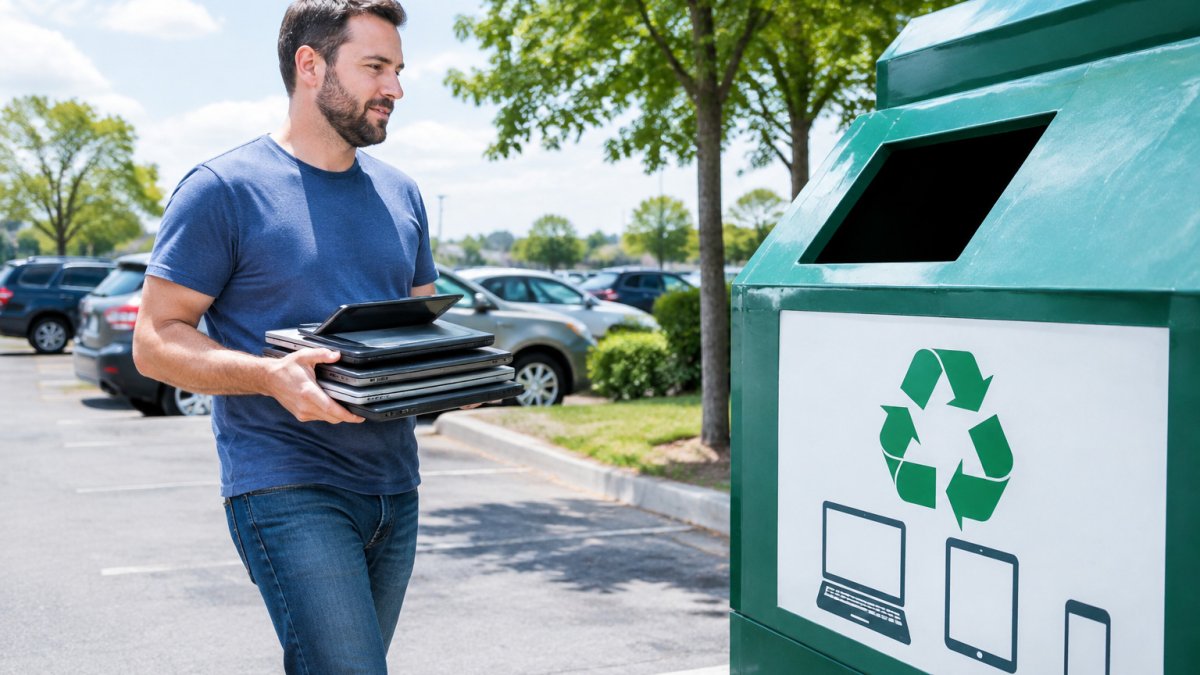
- Back up files and sign out of accounts.
- Reset or wipe devices that hold personal data.
- Check for swelling, leaks, or damage.
- Confirm accepted items, hours, and drop-off terms.
- Ask about data records for sensitive devices.
- Keep the receipt or confirmation after drop-off.
The hardest part is often not finding a place; it is knowing what the place accepts. For a different household task, you can view the Rechargeable Electric Pet Nail Grinder.

Old electronics are easy to set aside, but data and batteries deserve a clear plan before they leave home. Start with a device list, erase personal files, and confirm the recycler’s rules. Get started with MixVanta when you need convenient access to household supplies, electronics, and lifestyle products in one marketplace.
Frequently Asked Questions
Is it safe to throw away a computer after removing the hard drive?
Removing the hard drive is a good start, but the drive itself still holds data and should not go in the trash. Store it separately and take it to a recycler that offers certified destruction, or physically destroy the drive yourself. The rest of the computer contains metals, plastics and sometimes batteries that need proper handling, so take it to a drop-off location rather than placing it in household waste. Check that the recycler provides a certificate of destruction if you need proof the drive was handled securely.
Where can I recycle old electronics for free?
Many retailers, manufacturers and municipal programs accept old electronics at no charge. Check the take-back programs run by major electronics stores and phone carriers, and search your city or county waste department website for free collection events and permanent drop-off sites. Community recycling events often accept computers, monitors, printers and small appliances. Call ahead to confirm what each location accepts, since some only take certain categories of devices.
What should I do with swollen or damaged lithium-ion batteries?
Do not charge, puncture or crush a swollen or damaged lithium-ion battery, because this can cause overheating or fire. Place it in a separate container away from flammable materials, such as a sand-filled metal can, and keep it cool. Contact a household hazardous waste facility or a certified electronics recycler to arrange safe disposal. Never place lithium-ion batteries in curbside trash or recycling bins.


