


Table of Contents
- Quick Comparison: Top 5 Smart Security Cameras Without Subscription
- What to Look for in a No-Subscription Camera
- The Top 5 Smart Security Cameras Without Subscription in 2026
- Local Storage Security Cameras: How They Work and Why They Matter
- How to Set Up Local Security Camera Storage
- Building a DIY Home Security System No Monthly Fee
- Common Mistakes to Avoid with Subscription-Free Cameras
- Conclusion
- Frequently Asked Questions
Last Updated: September 14, 2026
Quick Comparison: Top 5 Smart Security Cameras Without Subscription
The best smart security cameras without a subscription in 2026 store footage locally and skip recurring fees entirely (the FTC). This guide from MixVanta compares five models that record to microSD cards or a network video recorder, so you own your footage outright. The market has shifted: buyers increasingly reject cloud-only cameras that lock features behind a monthly fee. Every pick below works fully offline after setup.
| Camera | Storage | Power | Standout Feature | Best For |
|---|---|---|---|---|
| Wyze Cam v4 | microSD + cloud | Wired | Best overall value | Most households |
| Reolink Argus Track | microSD | Battery/solar | Pan-tilt-zoom tracking | Wide coverage |
| Eufy SoloCam S340 | 8GB built-in | Solar | Dual-lens, no fees | Driveways |
| Tapo C425 | microSD | Battery | Dual-band Wi-Fi | Reliable connectivity |
| Amcrest UltraHD 4K | microSD + NVR | Wired | Open-source integration | DIY enthusiasts |
What to Look for in a No-Subscription Camera
A no-subscription camera records and stores video without a recurring cloud plan. The key is local storage: footage lands on a microSD card or a network video recorder you control.
Three specs decide whether a camera truly works without fees:
- Local storage slot for a microSD card or NVR connection
- On-device processing for motion detection, not cloud AI
- Full app access without paywalled features
Many cameras advertise "free" but hide person detection or playback behind a subscription. Check the feature list before buying.
Local Storage vs. Cloud Storage
Local storage keeps recordings on a microSD card or a network video recorder inside your home. Cloud storage uploads clips to a company server, usually for a monthly fee.
Local wins on cost and privacy. You pay once for a card, and no third party holds your footage. Cloud wins on convenience: if a thief steals the camera, the clip survives. The practical answer is a hybrid: record locally, and only upload the clips you want to keep.
Privacy and Data Security Considerations
Privacy is the strongest argument for local storage security cameras. When footage never leaves your network, there is no server to breach and no vendor scanning your clips.
Look for these protections:
- End-to-end encryption on any cloud features you do use
- On-device processing so detection happens on the camera
- Privacy zones to mask windows and neighbor property
- Local accounts rather than mandatory cloud logins
A common mistake is leaving default passwords in place (cisa.gov). Change them on day one.
The Top 5 Smart Security Cameras Without Subscription in 2026
Each camera below records without a mandatory plan. We weighted local storage, image quality, and setup simplicity.
1. Wyze Cam v4: Best Overall Value
The Wyze Cam v4 is the best all-around pick for most homes. It records to a microSD card, delivers sharp 2.5K video, and offers color night vision.
Where it falls short: the free cloud tier is limited, and advanced alerts push you toward a subscription. Stick to local storage and you pay nothing after purchase. Setup takes about ten minutes.
2. Reolink Argus Track: Best for Pan-Tilt-Zoom
Reolink's Argus Track handles 360-degree coverage with automatic subject tracking. It runs on battery or a solar panel and stores footage on a microSD card.
What most reviews miss is how well the tracking reduces false alerts. The trade-off is price: it costs more than a fixed camera, and heavy pan-tilt use drains the battery faster.
3. Eufy SoloCam S340: Best Battery and Solar Performance
The Eufy SoloCam S340 pairs a dual-lens design with a solar panel, so it rarely needs charging. It includes built-in storage, which means no microSD card to buy and no monthly fee.
The catch: built-in storage is fixed, so you cannot expand it later. For a driveway or side yard with good sunlight, it is hard to beat.
4. Tapo C425: Best for Dual-Band Wi-Fi Connectivity
The Tapo C425 stands out for dual-band Wi-Fi, which keeps the stream stable on crowded networks. It records to a microSD card and runs for months on a charge.
In practice, dual-band connectivity matters most in apartments and dense neighborhoods where 2.4GHz is congested. The one drawback is that AI detection relies partly on cloud processing for the best results.
5. Amcrest UltraHD 4K: Best for Wired Power and Open-Source Integration
The Amcrest UltraHD 4K is the pick for tinkerers. It delivers true 4K resolution, supports a network video recorder, and integrates with open-source platforms like Home Assistant and Blue Iris.
This is where subscription-free meets full control. The trade-off is setup: expect to configure IP addresses and firewall rules yourself.
Local Storage Security Cameras: How They Work and Why They Matter
Local storage security cameras write footage to a microSD card or a network video recorder on your property. Nothing uploads unless you configure it to.
The workflow is simple:
- The camera detects motion using on-device processing
- It records the clip to local storage
- You review footage through the app or NVR interface
Why it matters: no monthly fee, no data sovereignty concerns, and footage that survives an internet outage. The one risk is physical theft, which is why many owners back up critical clips.
How to Set Up Local Security Camera Storage
Setting up local storage takes about 15 minutes and requires a compatible microSD card, the camera's app, and your Wi-Fi password.
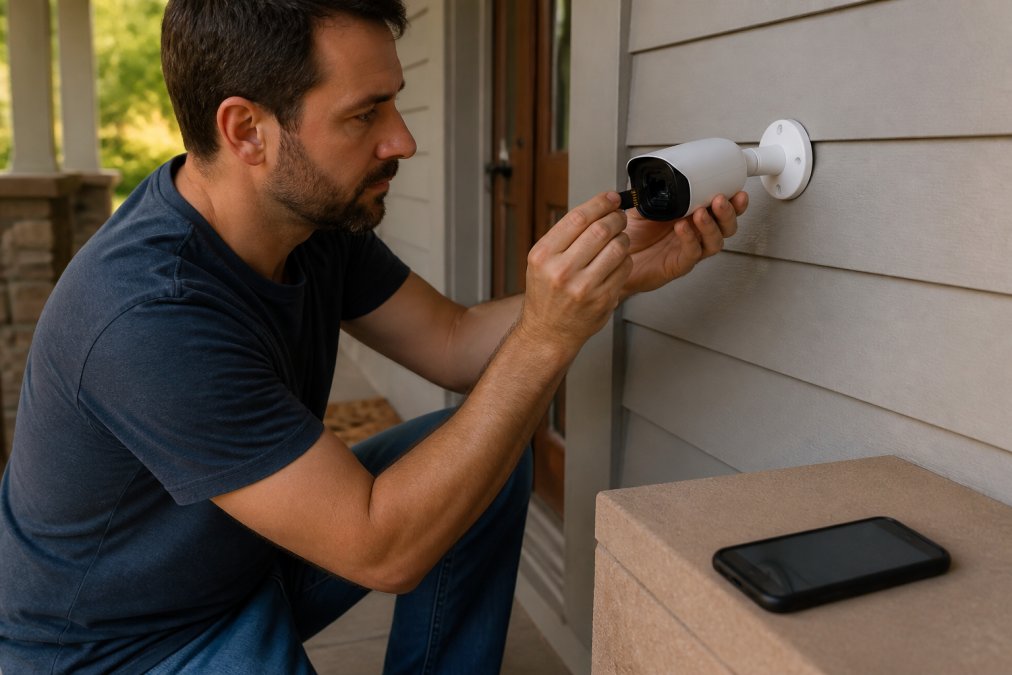
Follow these steps:
- Format the microSD card in the camera's app, not on your computer. Cameras use specific file systems.
- Insert the card with the camera powered off, then power it on.
- Enable local recording in the storage settings and set it to continuous or motion-activated.
- Set privacy zones to mask sensitive areas.
- Confirm playback by triggering motion and checking the timeline.
Secure Remote Access Without Exposing Your Camera
Most guides stop at "download the app." That is the part that quietly turns a private local camera into an internet-facing device. When you enable remote viewing, the camera or its base station opens a path through your router so you can watch from anywhere. If that path is misconfigured, anyone who finds the device can attempt to reach it too.
A few habits keep remote access safe:
- Prefer the vendor's encrypted relay over manual port forwarding. Port forwarding (mapping an external port to the camera's internal IP) is the single most common way local cameras get exposed. If the app offers a peer-to-peer or relay connection, use it.
- If you must forward a port, change it from the default. Default ports are scanned constantly. Also restrict access to specific source addresses where your router allows it.
- Put cameras on a separate network. Many routers support a guest network or a VLAN. Isolating cameras from your laptops and phones limits what a compromised camera can reach.
- Disable UPnP on the router unless you specifically need it. UPnP lets devices open their own ports, which is convenient and also exactly the behavior you do not want on a camera.
- Turn on two-factor authentication in the camera account if the app supports it, and use a unique password you do not reuse elsewhere.
Router security best practices
Long-Term Storage Hardware Maintenance
Local storage is hardware, and hardware wears out. Two components matter most:
microSD cards. These use flash memory with a finite number of write cycles. Continuous recording writes constantly, so a standard card can degrade in months while a high-endurance card lasts far longer. Warning signs include missing timeline segments, the camera failing to recognize the card, and corrupted clips. A practical routine: check playback monthly, reformat the card every few months through the app, and replace it on a schedule rather than waiting for failure. Keep a spare formatted card on hand so a failure is a two-minute swap.
NVR hard drives. Network video recorders typically use surveillance-rated drives designed for 24/7 writing. Consumer desktop drives work but tend to fail sooner under constant load. Most NVR software can report drive health, so check it periodically. When a drive approaches the end of its rated workload, replace it before it dies rather than after.
Offline-Only Operation
If you never plan to view footage away from home, you can run many of these cameras with no internet connection at all. The camera still records to its card, and you review clips over your local network or by pulling the card. This is the strongest privacy posture available: nothing leaves the house, and there is no remote path to attack. The trade-off is real, though. You lose phone alerts when you are away, remote live view, and automatic firmware updates, so you have to check for updates manually. For a cabin, a rental property, or anyone who simply does not want a camera on the internet, offline-only is worth considering.
Building a DIY Home Security System No Monthly Fee
A DIY home security system no monthly fee combines cameras, local storage, and your existing Wi-Fi. You skip the monitoring contract by handling alerts and playback yourself.
Start with one camera at the main entry, then expand. Add a network video recorder once you pass three or four cameras, since managing individual cards gets tedious.
For connectivity, hardwire cameras where you can and reserve wireless for spots without power. Pair the system with a smart home hub to trigger lights when motion fires.
Common Mistakes to Avoid with Subscription-Free Cameras
The biggest mistake is assuming "no subscription" means "no cost." You still buy a microSD card, and possibly an NVR. Budget for storage upfront.
Other pitfalls:
- Skipping firmware updates, which often patch security holes
- Ignoring bandwidth usage when several cameras stream at once
- Placing cameras out of Wi-Fi range, causing dropped recordings
- Forgetting weatherproofing on outdoor mounts
The Real Cost of Ownership Beyond the Camera
Subscription-free does not mean cost-free, and the ongoing costs are where budgets quietly break. The main line items:
- Storage media. A high-endurance microSD card costs more than a standard one and needs periodic replacement. An NVR adds a surveillance-rated hard drive on top of the recorder itself.
- Power. Battery cameras need recharging or a solar panel; wired cameras may need an outlet run or a PoE switch and cabling.
- Network gear. Several cameras streaming at once can strain an older router. A mesh system or a PoE switch is a common upgrade.
- Your time. Local systems are maintained by you: firmware, card swaps, drive health checks, and troubleshooting. That is the trade for skipping the monthly bill.
None of these are dealbreakers, but pricing them in before you buy avoids the surprise of a "free" system that keeps asking for money.
Advanced Integration: ONVIF, RTSP, and Home Assistant
If you want your cameras to talk to software you control rather than a vendor app, look for two protocols: ONVIF (a standard for how cameras communicate with recorders and management software) and RTSP (a streaming protocol that lets software pull the video feed directly). Cameras that support both can be added to platforms like Home Assistant, Blue Iris, Frigate, or a self-hosted NVR.
Why this matters: it removes the vendor app from the equation entirely. You get one dashboard for every camera regardless of brand, automation rules (turn on lights when a camera detects a person), and local recording managed by software you choose. The catch is setup complexity. You will configure IP addresses, add streams by URL, and tune detection zones yourself. Brands that publish ONVIF and RTSP support, and document the stream paths, are far easier to integrate than those that lock everything to a proprietary app.
If you plan to grow past two or three cameras, buy for integration now. A camera that supports ONVIF and RTSP will still be useful in five years; one that only works with its own app may not be.
Conclusion
Choosing among the top 5 smart security cameras without subscription 2026 comes down to your priorities: value, coverage, or control. Each pick above records locally and skips the monthly fee.
MixVanta stocks a broad catalog of electronics and household essentials in one place, with competitive deals and free shipping options. Browse the range, compare specs, and find the camera that fits your setup. Shop Now and secure your home without a recurring bill.
Frequently Asked Questions
What are the top-rated security cameras without subscriptions?
The top-rated security cameras without subscriptions in 2026 include Wyze Cam v4, Reolink Argus Track, Eufy SoloCam S340, Tapo C425, and Amcrest UltraHD 4K. These models offer local storage via microSD card or network video recorder (NVR), eliminating monthly fees. They provide features like 4K resolution, AI-powered detection, and two-way talk. For a DIY home security system no monthly fee, these cameras are reliable choices.
Which security camera doesn't need a subscription for local storage?
Many security cameras work without a subscription for local storage. Models like Wyze Cam v4 and Reolink Argus Track support microSD cards up to 256GB, while others like Amcrest UltraHD 4K can connect to a network video recorder (NVR). These options let you store footage locally without recurring costs. When choosing local storage security cameras, check for microSD slot or NVR compatibility.
How do local storage security cameras compare to cloud-based models?
Local storage security cameras store footage on a microSD card or NVR, avoiding monthly fees and keeping data on-site. Cloud-based models offer remote access but often require a subscription and raise privacy concerns. Local storage is cost-effective long-term and works offline, but you must manage storage hardware maintenance. For a DIY home security system no monthly fee, local storage is the better choice.
Do security cameras without subscriptions still offer motion alerts?
Yes, most subscription-free cameras provide motion alerts via push notifications. They use on-device processing for AI-powered detection, including person, vehicle, and pet detection. You can customize privacy zones and receive real-time alerts without a monthly fee. Brands like Eufy and Tapo offer these features out of the box, ensuring you stay informed without extra costs.
The real challenge is matching a camera to your home's layout and power access, not chasing the lowest price. MixVanta makes that easier by offering trending electronics and household supplies in one convenient marketplace, backed by free shipping options and a 30-day money-back guarantee. Get started with MixVanta and build a security setup you fully own.


