


Last Updated: October 27, 2026
Quick Summary
Must-have gadgets for organized home offices are worth it when each one removes clutter or protects your posture, not when it adds another object to manage. Buy for the mess you actually have: a charging station replaces a cable nest, a monitor stand frees desk surface, and a single expanding file ends paper piles.
- Cable clutter is the fastest mess to fix and the one most people ignore longest.
- The 32-inch dual-screen monitor stand costs $228.99 and holds displays from 13 to 32 inches.
- The 3-in-1 foldable wireless charger at $27.30 collapses flat to store in a drawer.
- The Rainbow 7-pocket expanding file at $29.99 holds letter-size documents in color-coded pockets.
- A cross-cut shredder is the one paper gadget worth owning over a strip-cut model.
Table of Contents
- Why Gadgets Make or Break an Organized Home Office
- Cable Management Gadgets for Desk Clutter
- Ergonomic Home Office Gadgets That Protect Your Posture
- Small Home Office Organization Ideas for Tight Spaces
- Productivity Gadgets for Home Office Focus
- Paper and Document Storage That Stays Organized
- Lighting Gadgets for a Clutter-Free Workspace
- Building Your Organized Home Office Setup on MixVanta
- Frequently Asked Questions
Why Gadgets Make or Break an Organized Home Office
Most organized home offices fail for a boring reason: the desk has nowhere to put anything. Before you buy a single item, know that must have gadgets for organized home offices fall into two groups, tools that remove clutter and tools that keep you working comfortably. We've sorted this guide by the problem each gadget solves rather than by category. A charging station fixes cable sprawl. A monitor stand frees desk surface. A file replaces a paper pile. Buy for the mess you have, not the one a product roundup assumes you have.
Cable Management Gadgets for Desk Clutter
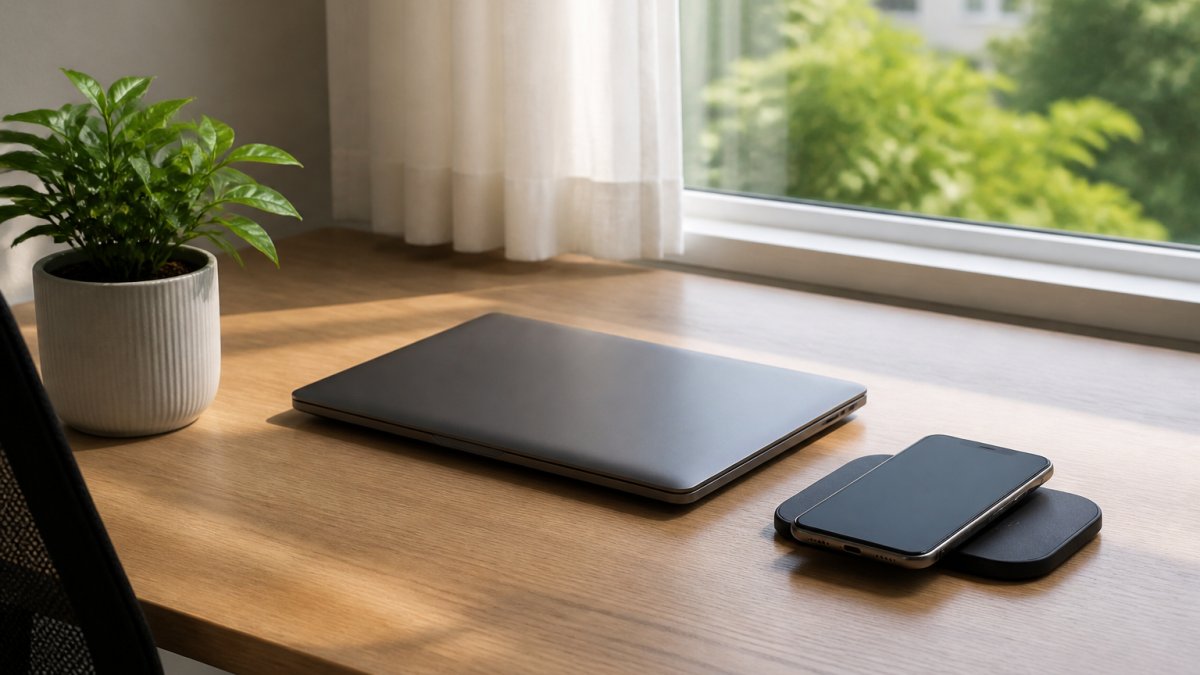
Cable clutter is the fastest mess to fix and the one most people ignore longest. The goal is fewer cables, not better-hidden ones. Three chargers become one station, and the tangle disappears.
Charging Stations That Replace the Cable Nest
Best for: anyone with three or more devices on the desk. Skip if: your phone doesn't support wireless charging.
Ergonomic Home Office Gadgets That Protect Your Posture
Posture problems start with screen height, not chair brand. Raise the monitor and most neck strain goes away.
Monitor Mounts and Screen Positioning
A monitor mount lifts screens off the desk and puts them at eye level, which frees surface space and reduces the forward head lean that builds up over a long day. The 32-inch dual-screen monitor stand at $228.99 holds two displays from 13 to 32 inches, rotates 360 degrees, and is built from aluminum alloy. It's the one gadget here that changes both comfort and desk space at once. If you run a single screen, a stack of books under the stand does the same job for free.

Small Home Office Organization Ideas for Tight Spaces
Tight spaces reward vertical storage and punish anything that spreads sideways. A closet desk or a corner in a shared room works if every item has a fixed home and nothing lives on the floor. The rule we'd give anyone in a small space: if a gadget doesn't replace two others, it doesn't earn the shelf.
Vertical and Foldable Solutions
When floor area is fixed, the only direction left is up. A wall-mounted or clamp-on monitor arm replaces a freestanding stand and frees the entire desk surface beneath the screen. A foldable wireless charger, like the 3-in-1 foldable wireless charger at $27.30, collapses flat when not in use, so it stores in a drawer instead of occupying a permanent corner. For lighting, the motion sensor cabinet light with battery display at $36.99 mounts under a shelf or inside a cabinet with no wiring, which matters when there is no outlet where you need light.

Shared-Room and Dual-Purpose Setups
If your office shares a room with a bedroom or living area, every gadget has to disappear at the end of the day. Choose items that fold, clamp, or tuck away: a folding LED touchscreen pen at $17.99 lives in a pocket; a slim expanding file at $29.99 slides into a bag or drawer; a clamp-on monitor arm leaves the desk clear when the screen swings aside. Avoid anything that requires permanent installation or a dedicated footprint.
Compatibility Checks Before You Buy
Best for: renters, closet desks, and shared rooms where gear must disappear. Skip if: you have a dedicated office with wall space and permanent outlets.
Productivity Gadgets for Home Office Focus
Focus gadgets earn their place only if they remove a distraction. A pen that does three jobs beats three pens in a drawer. The folding LED light touchscreen pen at $17.99 combines a ballpoint, a stylus tip, and a small LED light in one pocket-sized tool, which means fewer objects on the desk and less hunting when you need to jot something down. For readers weighing a broader set of low-cost upgrades, our guide to affordable smart home gadgets under $50 covers more options in the same price band.
Rainbow 7-Pocket Letter Size Poly Expanding File →
Paper and Document Storage That Stays Organized
Paper is the mess people stop noticing. A single expanding file handles receipts, forms, and reports without a filing cabinet. The Rainbow 7-pocket letter-size expanding file at $29.99 holds letter-size documents in seven color-coded pockets with an elastic closure, and its slim profile fits in a bag or a desk drawer. One file, one place, no more piles on the corner of the desk.

A Simple Filing Workflow That Sticks
The file only works if you use it the same way every time. A common pattern is a three-step routine: open mail over the recycling bin, file anything you need to keep immediately into its color-coded pocket, and clear the file once a month. Assign each pocket a category that matches your actual life, not an idealized one. Most people need pockets for receipts, tax documents, insurance, medical, warranties, and one catch-all for everything else.
Retention and Shredding
Not every document deserves a pocket. Keep tax returns and supporting records for the period your situation requires, keep warranties and receipts until the return window closes, and shred anything with an account number, Social Security number, or signature you no longer need. A cross-cut shredder is the one paper gadget worth owning; a strip-cut model leaves recoverable strips. If you don't own a shredder, many communities offer free shredding events, and a locked drop box at a local office supply store is a low-cost alternative.
Digital Backup for the Paper You Keep
Best for: anyone with receipts, forms, and reports accumulating on the desk. Skip if: you are already fully paperless and scan at the source.
Lighting Gadgets for a Clutter-Free Workspace
Lighting should add brightness without adding cords. The motion sensor cabinet light with battery display at $36.99 turns on when you approach and shows its charge level, so it lights a shelf or cabinet without wiring. For a desk accent, the Bluetooth LED pixel light at $75.99 adds a customizable display, though it's a want rather than a need. Watch out: battery-powered lights need recharging, so keep the charging cable with your main station rather than loose in a drawer.
Building Your Organized Home Office Setup on MixVanta
| Problem | Gadget | Price | Fixes |
|---|---|---|---|
| Cable sprawl | 3-in-1 foldable wireless charger | $27.30 | Three chargers become one |
| Phone-only charging | CW6 wireless charger | $20.99 | One pad, no cords |
| Neck strain, no desk space | 32-inch dual-screen monitor stand | $228.99 | Screens at eye level, desk cleared |
| Paper piles | Rainbow 7-pocket expanding file | $29.99 | Documents in one place |
| Dark shelves | Motion sensor cabinet light | $36.99 | Light without wiring |
| Desk drawer clutter | Folding LED touchscreen pen | $17.99 | Three tools in one |
Frequently Asked Questions
What gadgets help keep a home office organized?
The most useful gadgets target specific clutter problems. A 3-in-1 foldable wireless charger ($34.99) removes charging cables from your desk. A dual-screen monitor stand ($228.99) lifts screens off the surface and frees space underneath. A rainbow 7-pocket expanding file ($29.99) handles paper buildup. Motion sensor cabinet lights ($36.99) keep storage areas usable without adding lamps. Start with the clutter you see most, then add gadgets that solve that exact problem rather than buying a full set at once.
How do I manage cables in a home office?
Cable management gadgets for desk setups work best when you cut the number of cables first. A 3-in-1 foldable wireless charger powers an iPhone, Apple Watch, and AirPods from one device, which removes two or three cables from your desk. The CW6 wireless charger ($20.99) does the same for a single phone. Once charging is wireless, route any remaining cables behind your monitor stand and off the floor. Fewer cables mean less to organize and less to untangle.
What are good small home office organization ideas?
In a small office, go vertical and use multi-purpose items. A dual-screen monitor stand ($228.99) elevates screens and opens desk space underneath for a keyboard or notebooks. A foldable wireless charger folds flat when not in use and packs away easily. A slim 7-pocket expanding file ($29.99) stores letter-size paperwork without a filing cabinet. Motion sensor cabinet lights ($36.99) make shelves and closets usable for storage. Choose items that fold, stack, or mount rather than sit flat on the desk.
What should I keep on my home office desk?
Keep only what you use daily: a charger, a pen, and your current project materials. The Folding LED Light Touchscreen Pen ($17.99) covers writing, touchscreen navigation, and a light in one tool, so it replaces three items. A wireless charger keeps your phone off the desk surface while it powers up. Everything else, including paper files and backup supplies, belongs in a drawer, an expanding file, or on a shelf. If you have not touched an item in a week, it does not need desk space.
What gadgets can make a home office more productive?
Productivity gadgets for home office setups mainly remove friction. A dual-screen monitor stand ($228.99) keeps multiple windows visible so you stop switching between tabs. A 3-in-1 wireless charger ($34.99) means your devices are always powered and in one place. A Bluetooth LED Pixel Light ($75.99) lets you display a timer, message, or status without opening an app. None of these gadgets work alone; they help most when your desk is already cleared of paper and stray cables.
The challenge isn't buying gadgets, it's buying the right ones for the mess you actually have. Start with the cable nest and the paper pile, since those two fixes cost the least and change the desk most. MixVanta carries the chargers, monitor stands, files, and lighting in one catalog with global currency support and free shipping over $70. Get started with MixVanta and clear the desk this week.


