


Table of Contents
- Understanding the Return Window for Online Purchases
- How to Request a Refund on Marketplace
- Step-by-Step Return Process for Marketplace Items
- Marketplace Return Policy Essentials
- Marketplace Return Shipping Fees and Costs
- Handling Refunds and Tracking Your Money
- Common Return Issues and How to Resolve Them
- Frequently Asked Questions
Last Updated: September 2, 2026
Understanding the Return Window for Online Purchases
The return window is the timeframe during which you can request a return after receiving an item. Most marketplaces offer return windows ranging from 14 to 30 days, though this varies by seller and product category. The clock typically begins on the delivery date, not the purchase date, a distinction that matters because shipping delays can eat into your window.
Different product categories have different return periods. Electronics sometimes have shorter windows than clothing or household items, and sellers may offer extended windows during holidays. Check your specific marketplace's return policy before purchasing, especially for items you're uncertain about.
How to Request a Refund on Marketplace
Requesting a refund involves several straightforward steps beginning with your order history.
Check Your Order History
Log into your marketplace account and navigate to your order history or "My Orders" section. Locate the specific item you want to return and click on it to view order details. This page will show you the return window deadline, eligibility status, and any special conditions attached to the purchase.
Verify Return Eligibility
Not every item is returnable. The item must typically be in original condition, unused, and in its original packaging with all accessories included. Check whether the item has special restrictions, digital downloads, hazardous materials, and custom-made items are often non-returnable. If unsure, contact the seller's customer support before initiating a return request.
Step-by-Step Return Process for Marketplace Items
The return process follows a consistent sequence: initiate the request, generate a shipping label, pack and ship the item, and track its status until the refund is processed.
Step 1: Initiate Your Return Request
Click the "Return Item" or "Request Return" button on your order details page. Select the reason for your return from the dropdown menu, "Item Not as Described," "Defective Item," "Changed My Mind," or similar options. Provide a brief description of your issue. For defective items, explain what's wrong; for items not as described, specify how it differs from the listing.
After submission, the marketplace will review and approve or deny your request within 24 hours. Once approved, you'll receive a return authorization confirmation with a unique return ID number. Save this number for the next steps.
Step 2: Generate Your Shipping Label
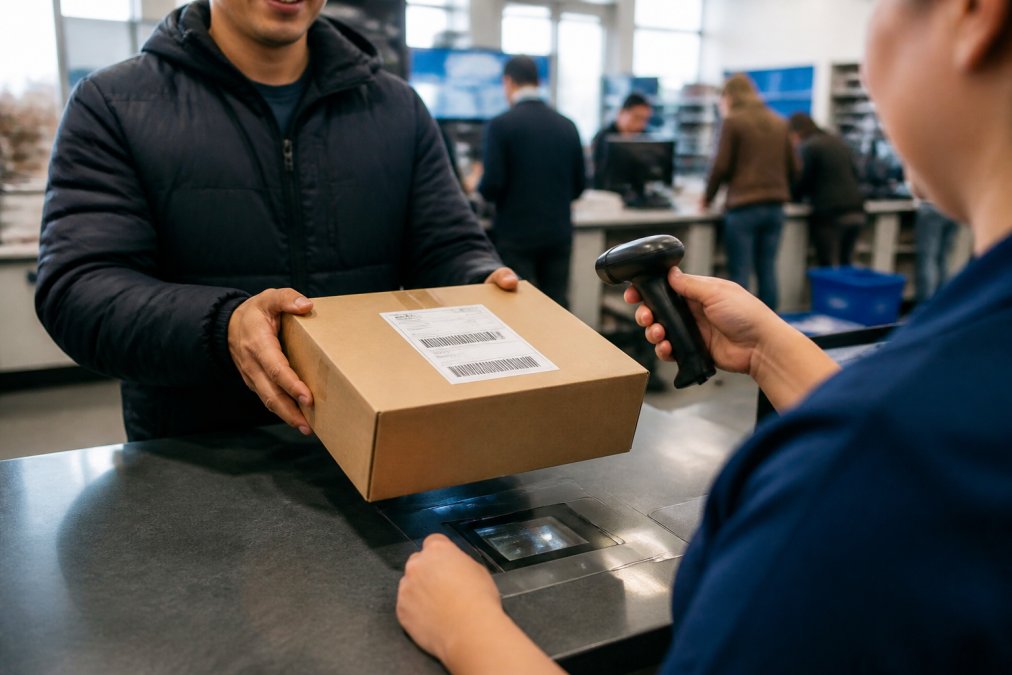
After approval, the marketplace will provide a prepaid shipping label as a PDF download. Download and save it immediately. Print the label on standard 8.5" x 11" paper. If you lack a printer, many retail locations offer printing services for a small fee.
Attach the printed label securely to the outside of your return package using clear tape. Ensure the barcode is fully visible and not obscured by tape, creases, or damage.
Step 3: Pack and Ship Your Item
Pack your item carefully to prevent damage during return shipping. Use the original packaging if possible, or an appropriately sized box. Wrap fragile items in bubble wrap or packing paper. Include all original accessories, documentation, and packaging materials.
Place the prepaid shipping label on the outside of the box and drop off your package at any authorized carrier location, typically UPS, FedEx, or USPS. Request a receipt with the tracking number and keep it until your refund is fully processed.
Step 4: Track Your Return Status
Log into your marketplace account and navigate to your return authorization page. You'll see your return ID and a status indicator showing your package's progress through stages like "Return Shipped," "In Transit," "Delivery Confirmed," "Return Received," "Item Inspected," and "Refund Processed."
In-transit status typically takes 5-10 business days. After delivery, the marketplace usually allows 3-5 business days to inspect the item before processing your refund. Use your tracking number to monitor the package in real time. If it doesn't progress to "Delivery Confirmed" within the expected timeframe, contact the carrier. If the marketplace shows your return as received but the refund hasn't been processed after 7 days, contact customer support.
Marketplace Return Policy Essentials
Every marketplace has a return policy outlining the rules governing returns.
Condition Requirements
Items must be in original condition for a full refund, meaning they haven't been worn, used, damaged, or altered since purchase. Packaging should be intact and unopened. All tags should remain attached to clothing. Electronics should be in original boxes with all components included.
Some marketplaces allow returns of items that have been tried on or opened but not used, as long as they're in resalable condition. Items showing signs of wear may qualify only for a partial refund or may be rejected entirely. Keep your digital receipt or order confirmation email as proof of purchase.
Exceptions and Restrictions
Certain items are non-returnable by default: final sale items, clearance merchandise, custom or personalized products, and items marked "non-returnable" in the listing. Consumable items like food, supplements, or opened beauty products are rarely returnable due to health and safety regulations.
Hazardous materials may have restricted return processes or may not be returnable at all. Some sellers don't accept returns on significantly discounted items or those purchased during special promotions. Check the product listing and seller policy before purchasing if you think you might need to return the item.
Items damaged by the buyer, not by the carrier during shipping, are typically non-returnable. The marketplace distinguishes between transit damage (seller's responsibility) and buyer-caused damage (buyer's responsibility).
Marketplace Return Shipping Fees and Costs
Return shipping costs vary depending on whether the return is seller-initiated or buyer-initiated. Many marketplaces offer free return shipping for defective, damaged, or misrepresented items. If you're returning an item because you changed your mind, you may be responsible for return shipping costs.
Return shipping costs depend on the item's weight, size, and destination. A lightweight clothing item might cost less than a heavier electronics item. Some sellers offer prepaid labels covering the cost, while others require upfront payment with reimbursement through the return process.
Before initiating a return for a low-value item, calculate whether return shipping costs make the return worthwhile. If an item's value is less than the shipping cost, you might decide to keep or donate it instead.
Handling Refunds and Tracking Your Money
Once your return is approved and received, the refund process begins.
Refund Processing Timeline
After your return is delivered, the marketplace allows 3-5 business days to inspect the item. If it meets return conditions, the refund is approved and processed. The time money appears in your account depends on your payment method.
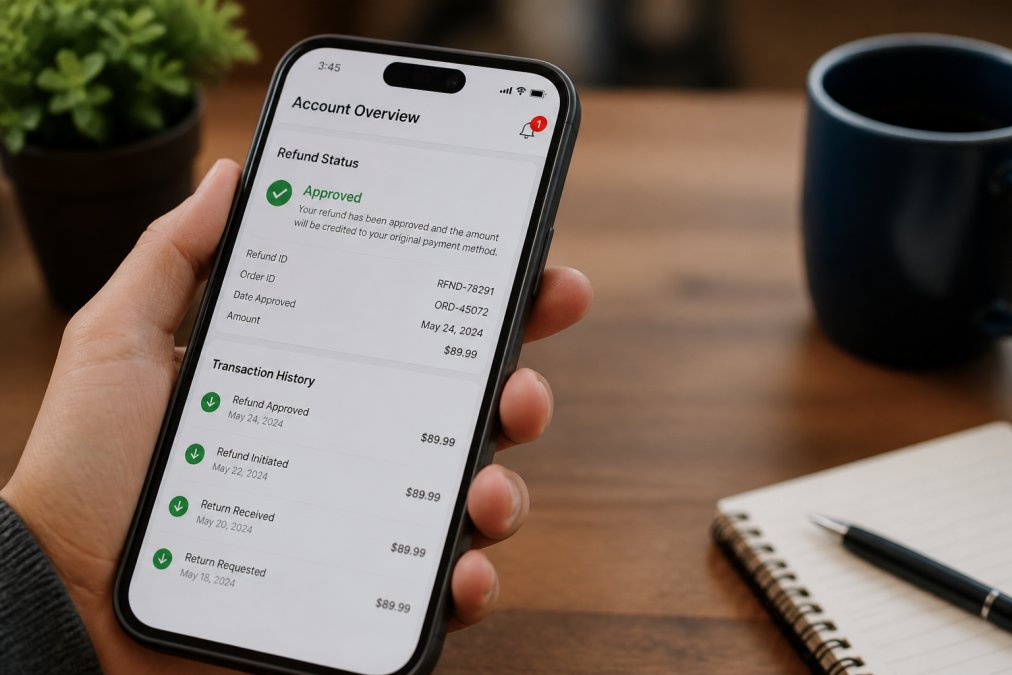
Credit or debit card refunds typically appear within 3-5 business days after processing. Digital wallet or store credit refunds may be instant. Bank transfers allow 5-10 business days. Check your refund status in your account dashboard, which will show "Refund Approved," "Refund Processing," or "Refund Completed." Once completed, money should arrive within the timeframe associated with your payment method.
Partial vs. Full Refunds
A full refund is the complete amount you paid for the item, minus any applicable return shipping fees you were responsible for. This is standard for defective, damaged, or misrepresented items.
A partial refund occurs when the marketplace deducts a restocking fee, typically 10-20% of the purchase price, charged when you return an item in good condition but changed your mind. Some marketplaces waive restocking fees for premium members or returns within certain timeframes.
Partial refunds may also be issued if the item shows signs of use or wear. The marketplace inspects the item and determines resalable condition. If it can't be sold as new, you might receive 70-90% of the original price. Check your refund confirmation email for the exact amount and any deductions applied. If you disagree with a partial refund, contact customer support with evidence that the item was in original condition.
Common Return Issues and How to Resolve Them
Return issues can arise even with careful planning.
Item Not as Described
If an item doesn't match the product listing, wrong color, size, material, or specifications, you have grounds for return. Document the discrepancy by taking photos and comparing them to the listing. Note specific differences in your return request.
Contact the seller first if comfortable doing so. Sometimes sellers resolve issues quickly with a partial refund or correct item. If the seller doesn't respond or refuses, escalate to marketplace customer support with photos and a detailed explanation. Most marketplaces side with buyers on these claims because sellers are responsible for accurate listings. Your return should be approved quickly with free return shipping.
Defective Items
If an item arrives broken or malfunctioning, return it under "Defective Item." Document the defect clearly with photos or videos and describe exactly what's wrong.
For electronics, try basic troubleshooting first, restart the device, check connections, update software. Document your steps in your return request. Defective item returns are almost always approved because sellers are responsible for shipping working products. You'll receive free return shipping and quick refund processing once the marketplace confirms the defect.
Missing Return Label
If you don't receive a return shipping label after approval, contact marketplace customer support immediately with your return ID and order number. Customer support can resend the label or provide an alternative method.
If you've already shipped the item without a label, track the package and try to retrieve it. If you can't, contact customer support with your tracking number and request reimbursement for return shipping costs. Many marketplaces reimburse if the label wasn't provided due to a system error.
Returning items to marketplaces is straightforward when you understand the process. Act quickly within your return window, follow each step carefully, and track your return status until the refund is processed. At MixVanta, we make returns straightforward with clear policies and accessible customer support. Whether you're returning a defective item, one not as described, or simply something unexpected, knowing how to navigate the system ensures efficient refunds. Take advantage of our 30-day money-back guarantee and free shipping options to shop with confidence, knowing that returns are hassle-free.
Frequently Asked Questions
Q: How long do I have to return an item to a marketplace?
A: Most marketplaces offer a return window of 14 to 30 days from the date of delivery, though this can vary by seller and product category. Check your order history and the seller's return policy for the exact timeframe. If you're outside the return window, you may still be able to file a dispute through the marketplace's buyer protection program, but eligibility depends on the specific circumstances and marketplace rules.
Q: Who pays for return shipping on marketplace purchases?
A: Return shipping costs depend on the reason for the return and the seller's marketplace return policy. If the item is defective or not as described, most sellers cover return shipping costs. If you're returning an unwanted item in original condition, you may be responsible for return shipping fees. Always check the return authorization details before shipping, they'll specify who covers costs and provide a prepaid shipping label if applicable.
Q: What should I do if I don't have a return label?
A: Contact the seller's customer support team immediately through the marketplace platform. Request that they generate a shipping label for you. If they don't respond, you can often generate your own label through the marketplace's return request system. Keep proof of your return request and tracking number for documentation. Some marketplaces allow you to request reimbursement for return shipping costs if the seller fails to provide a label.
Q: How long does it take to receive my refund after I return an item?
A: Refund processing timelines vary by marketplace, but most process refunds within 3-5 business days of receiving your returned item. The full timeline typically includes shipping time to the seller's facility plus processing time. Once approved, the refund appears in your original payment method. Check your return status regularly through your account dashboard to track progress. If you don't see a refund after the expected timeframe, contact customer support with your tracking number and proof of delivery.
This article was written using GrandRanker


