


Last Updated: October 22, 2026
Quick Summary
The best smart kitchen tools for beginners are a digital kitchen scale and an instant-read thermometer, because they replace guesswork with numbers. Start with these two measurement tools, then add a connected appliance only once you know exactly what you need it to do.
- Buy the knife, cutting board, and thermometer first, then add the scale.
- A cup of flour can weigh 120 to 150 grams depending on how you scoop it.
- Most beginners are comfortable with a smart scale in about ten minutes.
- Confirm any smart appliance works fully in manual mode with Wi-Fi off.
- The starter kit under $100 includes a chef's knife, thermometer, and skillet.
Table of Contents
- Why Smart Kitchen Tools Make Sense for Beginners
- Smart Kitchen Appliances: What Beginners Actually Need
- A Smart Kitchen Scale: Precision Without the Guesswork
- Smart Meat Thermometers: Stop Guessing Doneness
- Essential Kitchen Tools for Beginner Cooks (Beyond the Smart Stuff)
- Compatibility, Privacy, and the Setup Learning Curve
- A Practical Starter Kit by Budget
- Mistakes to Avoid When Buying Your First Smart Kitchen Tools
- Frequently Asked Questions
Why Smart Kitchen Tools Make Sense for Beginners
The best smart kitchen tools for beginners remove a decision, not add one. A connected scale tells you exactly how much flour you scooped; a thermometer beeps when chicken hits a safe internal temperature.
The part most buying guides skip: the most useful smart kitchen tools are the boring ones, a thermometer, a scale, maybe a phone-connected timer.
This guide breaks down what earns counter space, what to skip, and how to build a starter kit without overspending.
Smart Kitchen Appliances: What Beginners Actually Need
You need two smart appliances as a beginner: a good digital scale and an instant-read thermometer. Everything else is optional until you know how you actually cook.
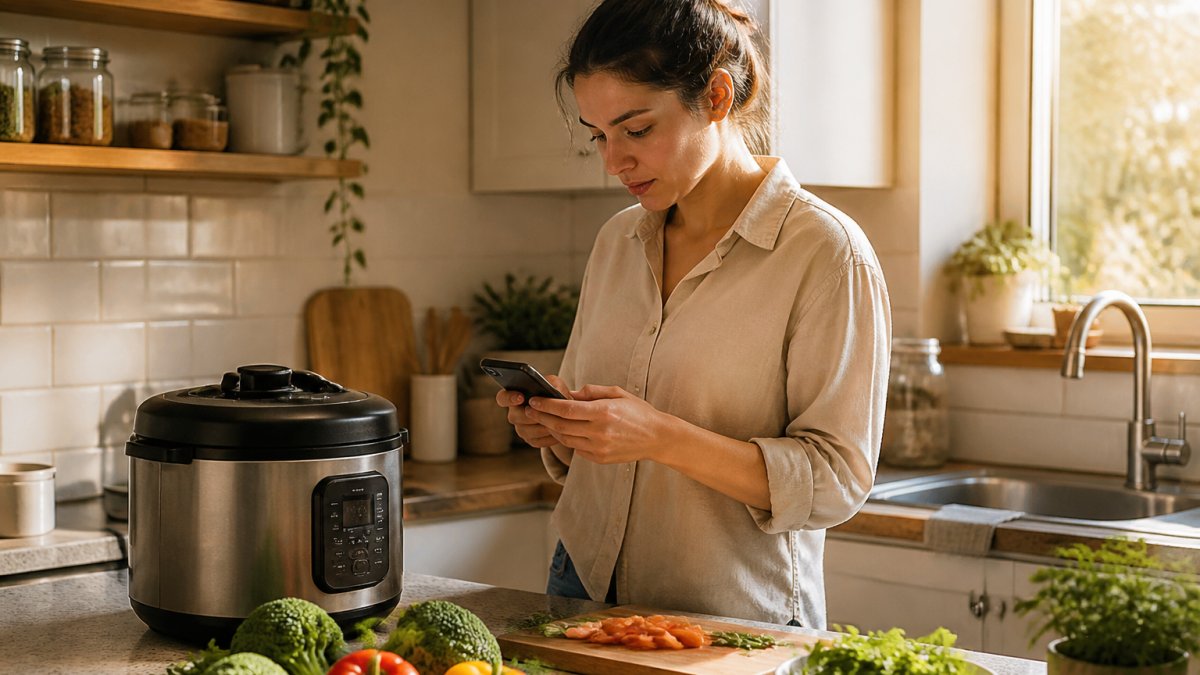
That surprises people who expect a list of air fryers and stand mixers.
The appliances marketed hardest to beginners, like connected multi-cookers and app-controlled ovens, solve problems beginners do not have yet.
The Smart Appliance Categories, Ranked for Beginners
Smart air fryers. Connected versions add remote start, preset programs, and sometimes a camera.
App-controlled ovens and ranges. The least beginner-appropriate smart appliance: expensive, installation is a project, and remote preheat is the main practical benefit.
Smart coffee makers and kettles. Lifestyle devices, not cooking tools.
Smart refrigerators. Screen-and-app features are the least useful smart features in the kitchen. Internal cameras sound helpful until you realize you must keep the shelves organized for the camera to be useful.
The One Appliance That Earns Its Counter Space
If you buy exactly one smart appliance, make it a connected multi-cooker, and only if you will use it twice a week. Otherwise, skip it. A basic instant-read thermometer will improve more meals than an expensive appliance you are still figuring out.
The decision rule is simple: buy the appliance whose smart features answer a question you are already asking. "How long do I pressure cook this?" is a real beginner question.
What to Check Before You Buy Any Smart Appliance
- Manual fallback. The device must run its core function without the app or the internet.
- App platform support. Confirm the app runs on your phone's OS and was updated in the last year.
- Recipe library depth. A guided-cooking app with a thin library is a timer with extra steps.
A Smart Kitchen Scale: Precision Without the Guesswork
A smart kitchen scale measures in grams and ounces and connects to an app for guided recipes and portion tracking.
A scale is not about being fancy. A cup of flour can weigh anywhere from 120 to 150 grams depending on how you scoop it, the difference between a tender cake and a dense brick.
For a low-cost entry point, the Measuring Spoon Scale at MixVanta handles small-batch measuring for spices, coffee, flour, and protein powder with a 500g capacity and 0.1g accuracy.

What to look for in any smart scale:
- 0.1g accuracy for spices and yeast, 1g is fine for bulk ingredients
- Tare function so you can zero out a bowl and add ingredients on top
- Unit switching between grams and ounces without a menu dive
Smart Meat Thermometers: Stop Guessing Doneness
A smart meat thermometer reads internal temperature and sends it to your phone, often with an alert when the target is reached.
The appeal is simple: you stop cutting into chicken to check if it is done. Check the USDA Food Safety and Inspection Service guidance on safe minimum internal temperatures before your first cook and keep it handy.
Two types matter for beginners:
- Instant-read digital thermometers are cheap, fast, and do not need an app. Best first purchase.
- Leave-in smart probes stay in the meat and alert your phone. Better for roasts and long cooks, more expensive, and the app quality varies wildly.
Start with a basic instant-read and upgrade to a leave-in probe once you cook roasts regularly. The smart features are useful for a long cook but overkill for a weeknight chicken breast.
Essential Kitchen Tools for Beginner Cooks (Beyond the Smart Stuff)
The essential kitchen tools for beginner cooks are a chef's knife, a cutting board, a fish spatula, measuring tools, and one pot that holds heat well. Smart gadgets do not replace any of these, they sit on a foundation that has to exist first.
Start with the basics and buy quality where it matters:
| Tool | Why It Matters | What to Look For |
|---|---|---|
| Chef's knife | Does 80% of your cutting | Full tang, comfortable grip, sharp out of the box |
| Cutting board | Protects your knife and your food | Wood or quality plastic, non-slip feet |
| Fish spatula | Thin edge slides under anything | Flexible stainless steel |
| Mixing bowls | Every recipe needs one | Nesting set, non-slip bases |
| Dutch oven | Braises, soups, bread | Heavy enameled cast iron |
| Measuring tools | Accuracy for baking | Scale plus dry and liquid measures |
| Salad spinner | Washes and dries greens fast | Pump or crank, easy to clean |
A sharp knife and a stable cutting board make cooking faster and safer than any app. Prep work is where beginners lose the most time, and a drain basket like the Multi-Functional Kitchen Drain Basket at MixVanta speeds up washing and draining produce so you can move straight from sink to cutting board.

Compatibility, Privacy, and the Setup Learning Curve
Compatibility is the most common reason smart kitchen tools end up unused. Before you buy, check which app the device requires, whether it works with your phone's OS, and whether it needs a hub or works over Wi-Fi directly. Most guides skip this, which is why so many people buy a connected gadget, fail to get it on their network, and let it sit in a drawer.
The Compatibility Checklist
Run through this list before checkout, not after:
- Phone operating system. Confirm the app is available for your phone's OS and was updated recently. An app not updated in over a year is a warning sign the manufacturer has moved on.
- Connection type. Some devices connect over Wi-Fi directly, some use Bluetooth only, and some require a separate hub or bridge. A Bluetooth-only device usually has to be within range of your phone, which matters if you want to monitor a roast from another room.
- Network band. Many smart appliances only work on the 2.4 GHz band, not the 5 GHz band most newer routers favor. If your router combines both bands under one name, you may need to split them or use a guest network.
What Setup Actually Involves
The learning curve is real but shorter than the packaging suggests. Most beginners are comfortable with a smart scale in about ten minutes and a leave-in thermometer in an afternoon; the friction comes from account creation, firmware updates, and app permissions, not the cooking.
A practical rule: if the device works fully without the app, the app is a bonus. If it does not, treat the app as part of the product and judge it accordingly.
Privacy: What to Check and Why It Matters
On privacy, be deliberate. A connected appliance can collect usage data, and some require an account even for basic functions. Read the Federal Trade Commission guidance on protecting your privacy online and check what data each app requests before you install it.
Look at the app's permission requests at install time. A kitchen scale needs Bluetooth or local network access, not your contacts, location, or microphone.
Check the privacy policy for two things: whether the company sells or shares usage data with third parties, and what happens to your data if you stop using the device or the company discontinues the app. A device that becomes a brick when the manufacturer shuts down its servers is one you do not fully own.
When the Internet Goes Down
Ask one question before you buy: what does this device do when the Wi-Fi is off? A good smart thermometer still shows temperature on its own display. A good smart scale still weighs. An appliance that refuses to run a basic cook cycle without an internet connection has traded reliability for features you may not need. For a beginner, reliability matters more than remote control.
A Practical Starter Kit by Budget
You can build a functional beginner kitchen at three budget levels. The smart tools scale up, but the basics stay the same.
Starter kit, under $100
- Chef's knife and cutting board
- Digital instant-read thermometer
- Basic measuring cups and spoons
Mid-tier kit, $100 to $250
- Everything above
- Digital kitchen scale with tare
- Dutch oven
Smart-enabled kit, $250 and up
- Everything above
- Leave-in smart meat thermometer
- Connected scale with recipe app
The order matters. Buy the knife, board, and thermometer first. Add the scale next. Only then consider an appliance with an app, and only if you have a specific use case in mind.
Mistakes to Avoid When Buying Your First Smart Kitchen Tools
The biggest mistake beginners make is buying an appliance with an app before buying a thermometer. The appliance feels like progress; the thermometer actually changes outcomes.
Other mistakes we see repeatedly:
- Buying the app, not the tool. A mediocre scale with a great app is still a mediocre scale. Judge the hardware first.
- Ignoring the return window. Test every smart tool in the first week and return it if the app crashes or the connection drops.
- Skipping the basics. No smart tool fixes a dull knife or an unstable cutting board.
Smart tools are not a category to collect. Each should replace a specific guess with a specific number.
Building a beginner kitchen is a series of small decisions, and the smart ones pay off fastest.
Frequently Asked Questions
Which smart kitchen tools are easiest for beginners to use?
Start with tools that do one job well and require little setup. A digital measuring spoon scale, like the one from MixVanta, works right out of the box with no app required. A smart meat thermometer and a basic smart scale are also simple: you pair them once, then use them every time you cook. Avoid appliances with complex recipe databases or subscription features until you're comfortable with the basics.
Are smart kitchen appliances worth it for a beginner?
It depends on what you cook. A smart thermometer or scale earns its place quickly because it removes guesswork from everyday tasks. Larger appliances only make sense if you'll use their specific features, like preset cooking modes or app monitoring. If you mostly boil pasta and make sandwiches, a few inexpensive smart tools will serve you better than a pricey connected appliance.
How do I choose smart kitchen tools that work with my phone?
Check the product listing for the app name and supported operating systems before you buy. Look for tools that use Bluetooth or Wi-Fi and confirm they work with both iOS and Android if you switch phones. Also check whether the app requires an account or a subscription. Tools that store settings on the device itself, like a digital scale, avoid compatibility headaches entirely.
What should I look for when buying a smart kitchen gadget?
Prioritize accuracy, ease of cleaning, and whether the smart features actually change how you cook. A scale that measures to 0.1 grams is more useful than one with a flashy app. Check the battery type and whether replacement parts are available. Read reviews about app reliability, and confirm the return policy before ordering, especially for electronics.


